The thinking
Construction teams don't buy a "context graph". They buy this: click the curtain wall on a drawing, and see the spec, the estimate, the schedule and the RFI it touches.
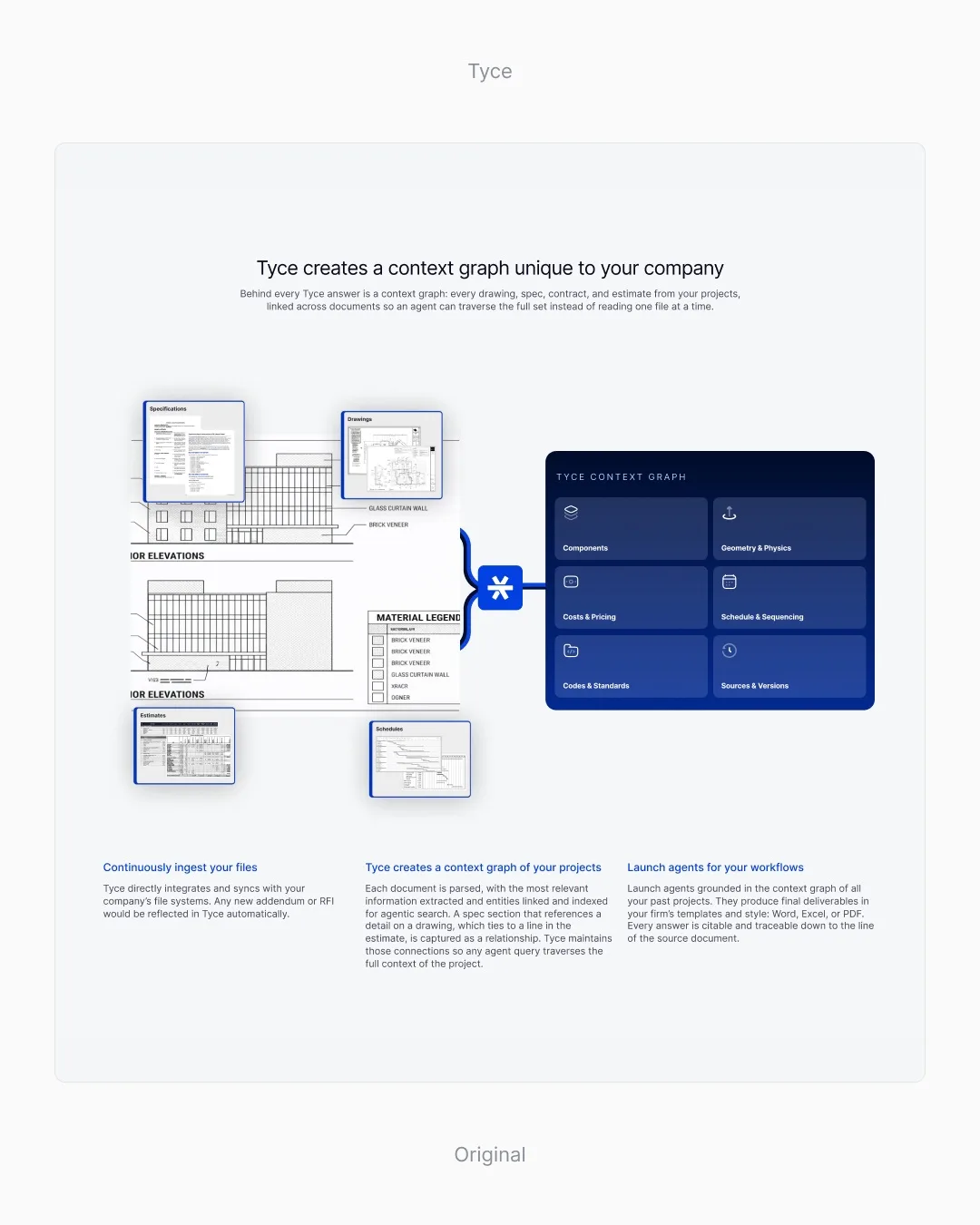
Original. Tyce's live technology section: a construction drawing tied by lines to a dark "Tyce context graph" panel of six category boxes, with three columns of text below.
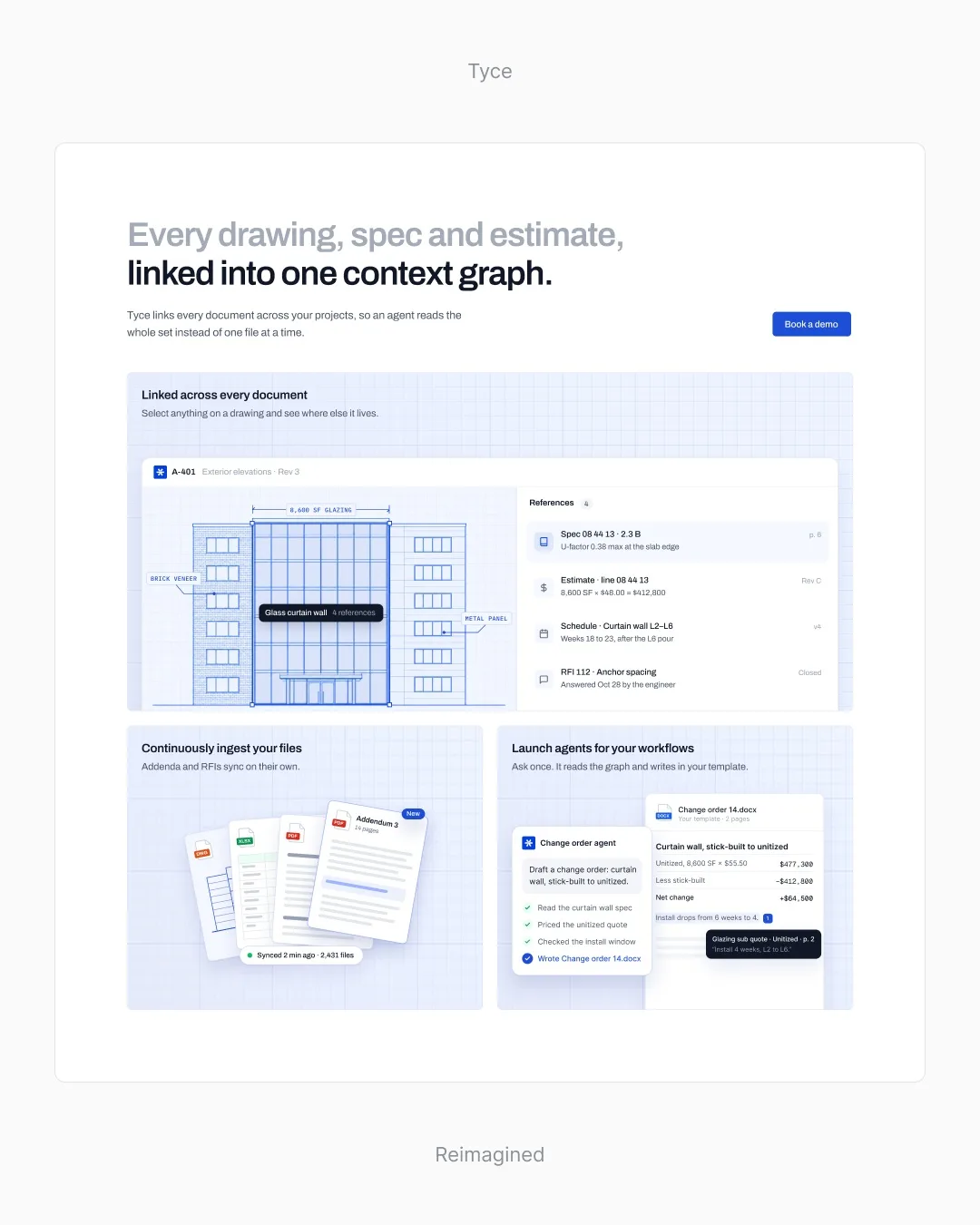
Reimagined. Our redesign of Tyce's technology section: the headline "Every drawing, spec and estimate, linked into one context graph.", a drawing with the glass curtain wall selected and its four references beside it, and cards for file sync and a change order agent.
The business
Sells
A context graph that links every drawing, spec, contract and estimate, so agents read the whole project set instead of one file.
Who signs
Construction firms: the estimators and project managers who live in drawings and change orders.
What's at stake
Fresh from a $2M pre-seed, the site has to signal a serious company to buyers and investors alike.
What the page does now
The original explains the graph with a diagram of boxes. It says the graph exists; it doesn't show what it does on a real project.
What we kept
The logo, now on the app and the agent, so every part still reads as Tyce; the blue; and the blueprint grid, moved into the card wells.
What we changed
Show it working.
Pick the wall on the drawing, and everything it touches lines up beside it: the spec, the estimate, the schedule and the RFI.
The redesigned Tyce section: a curtain wall picked on a construction drawing, with its spec, estimate, schedule and RFI lining up beside it. Files that keep themselves current.
New addenda and RFIs sync on their own, with a count you can check.
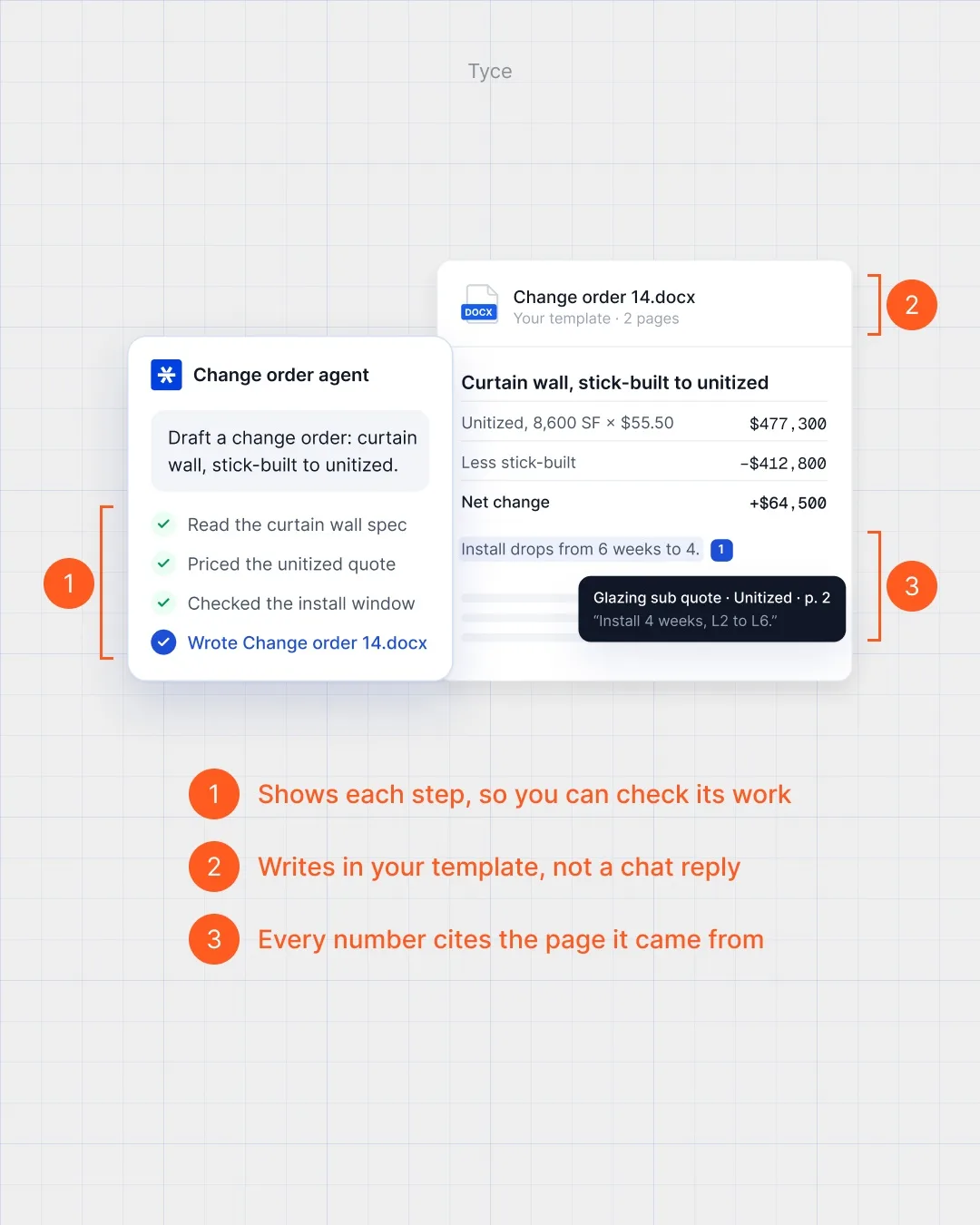
An agent that shows its work.
It lists each step so you can check it, writes in your template rather than a chat reply, and every number cites the page it came from.
Close-up of the Tyce agent: its steps listed one by one, a change order written in the firm's template, and each number citing its source page.
Our hypothesis
Estimators and project managers recognise their own drawings on the page and ask for a demo; investors see a product, not a diagram.
Invented for the concept
The drawing, numbers, file names and change order are invented for the concept.